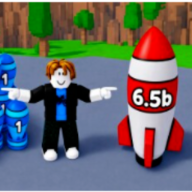
Where is the codes box in Merge a Nuke?
Inside Shop — open Shop from the HUD, then scroll to the bottom until the redeem field appears. Placement can shift slightly after patches, but Shop remains the home.

How to redeem Merge a Nuke codes: open Shop, scroll to the codes box, paste BOOM exactly, fix mobile typos, confirm Cash, and retry contested codes once.
Shop → scroll → paste → Redeem for Merge a Nuke codes.
Sponsored
This walkthrough covers how to redeem Merge a Nuke codes on Roblox — PC, mobile, tablet, and console — using the live Shop HUD for Merge a Nuke! from Nuke The Game.
Merge nukes, stack your arsenal, raid rival bases, and lock down your cash on Roblox.
You do not need a website form, Roblox catalog page, or merchant NPC. Every Claim happens inside the experience after you open Shop and scroll to the codes box. Active strings and rewards live on the codes list — as of July 19, 2026, start with BOOM.
BOOM is confirmed working across major July 2026 trackers. ATOMIC and UPDATE2 conflict between outlets — try them once, then treat failures as expired.
If you landed here from a search for how to redeem Merge a Nuke codes, skim the checklist first, paste once, then read troubleshooting before assuming a code is dead.
Players often miss the box because they open Upgrades, raid buttons, or Lock Base first. Codes are a Shop feature on this Place — treat that as the rule until a future patch moves the UI, then re-check this page after Friday updates.
Redeeming Merge a Nuke codes takes under a minute once the plot loads. Follow the order below — skipping the Shop scroll is the most common failure on mobile.

1. Open the official Roblox Place (Place 128784467030899) and wait for the plot HUD to finish loading.
2. Tap the Shop button from the main HUD / side menu — not Settings, not a random Discord bot.
3. Scroll to the bottom of the Shop window until the codes text field appears.
4. Paste BOOM (or another string from the codes list) exactly in ALL CAPS.
5. Hit Redeem. Close Shop and confirm Cash before you start a long merge grind.
6. Repeat once for each unused string. Each code is one Claim per Roblox account.
Successful Claims for current Merge a Nuke codes return Cash piles and sometimes free nukes. There is no Robux popup and no Gamepass unlock toast.
If Cash moves but you expected free nukes from a contested string, re-check the codes list reward column — BOOM is Cash-only, while ATOMIC / UPDATE2 are the nuke-bundle rumors.
Shop stacks Gamepasses, cash multipliers, and cosmetic buys above the redeem field on many builds. Stopping at Auto Merge or ×2 Cash means you never reach codes. Scroll until you see a plain text box and Redeem control.
Knowing the UI beats memorizing reward text. Promo entry sits inside Shop — not a separate top-right Codes ticket on every build of Merge a Nuke.
| UI element | Tag | Action |
|---|---|---|
| Shop button | 🛒 | Open from main HUD / menu |
| Scroll area | ⬇️ | Move to bottom of Shop window |
| Codes field | ⌨️ | Paste exact ALL CAPS string |
| Redeem button | ✅ | Claim once per account |
| Cash counter | 💰 | Confirm $5,000 jump after BOOM |
| Nuke board | 🚀 | Check free nukes if Claimed |
| Error toast | ⚠️ | Typo, expired, already claimed, wrong Place |
Gamepass and cash-multiplier purchases also live in Shop. Scroll past them to reach the codes box. Buying Auto Merge is optional — Redeem does not require a pass.
Lookalike merge games and private copies reject BOOM. Confirm Place 128784467030899 on the experience page before troubleshooting punctuation.
Input method changes by device, but Shop → scroll → Redeem stays the same for Merge a Nuke.
| Platform | Where to look | Tip |
|---|---|---|
| PC / Mac | Shop button → scroll codes box | Paste with Ctrl/Cmd+V from the codes page |
| iOS / Android | Shop — scroll carefully | Copy in browser first; disable autocorrect |
| Tablet | Same Shop flow | Landscape keeps scroll targets clearer |
| Console | Cursor → Shop if available | USB keyboard helps avoid mistypes |
Keep the codes page open in a second browser tab. Click Copy, alt-tab into Roblox, open Shop, paste, Redeem, then immediately check Cash. This is the fastest path for how to redeem Merge a Nuke codes without typo risk.
If you use multiple monitors, park the wiki on the second screen so you never leave Roblox fullscreen mid-Claim. That tiny workflow change cuts most “I typed BO0M” mistakes.
Mobile fails when keyboards lower-case BOOM or insert spaces. Long-press → paste only. If Shop feels cramped behind notches, rotate to landscape once, Claim, then return to portrait for merging.
iOS predictive text sometimes expands BOOM into unrelated words. Disable autocorrect for the paste, or paste into Notes first, then copy again into Shop if Roblox eats the clipboard.
Tablets follow the mobile Shop path. On console, enable a cursor or keyboard if the on-screen keyboard mangles caps. Contested strings are especially painful to retype on a controller — paste from a companion device when possible.
Rewards are account-bound. Redeem once on PC, then play mobile — you will not get a second Claim. Sync fails only if you used the wrong Roblox account.
Order matters for sanity, not for hidden multipliers. Claim the confirmed string first, then spend one attempt each on contested codes.
| Code | Reward snapshot | Try order | Status |
|---|---|---|---|
BOOM | $5,000 Cash | 1 — always | Active |
ATOMIC | $10,000 Cash + 20 Nukes | 2 — once | Contested |
UPDATE2 | $10,000 Cash + 10 Nukes | 3 — once | Contested |
BOOM is listed in the official experience description and confirmed across major trackers for $5,000 Cash. New accounts should Redeem it before a long AFK session.
Nuke The Game ships weekly Friday updates. Re-open the codes list and the updates hub after patches — new strings often replace contested leftovers.
When how to redeem Merge a Nuke codes still fails, match the toast to this table before assuming the list is outdated.
| Symptom | Likely cause | Fix |
|---|---|---|
| Invalid code | Typo, wrong case, wrong game, or expired | Re-copy from codes |
| Already redeemed | One Claim per account | Skip — try the next string |
| No codes box | Did not scroll Shop far enough | Scroll to the bottom of Shop |
| Nothing happens | Lag or toast buried under UI | Rejoin once; check Cash counter |
| Wrong rewards | Different Place / private server lag | Confirm Place 128784467030899 |
| Contested fail | String already dead on live build | Stop retrying; wait for Discord |
Invalid usually means the string itself is wrong or dead. Already claimed means you are done — do not create alt accounts just to farm the same promo twice unless you accept that as a new Roblox account.
If Cash does not move after a success toast, rejoin once. Do not re-paste aggressively — you may already own the Claim and burn patience on false “invalid” reads.
Confirm you are in Merge a Nuke! from Nuke The Game, not a fan remake. Close any covering modal, scroll Shop again, and compare your string character-by-character against the active codes table. If BOOM works but ATOMIC fails, that is expected under Contested status — not a UI bug.
Rewards are a start bump — spend them on the Spawn → Merge → Lock → Raid loop instead of dumping Cash into late vanity.

Beginner guide for the first hour. Upgrades guide explains Spawn Tier priority. Raid guide covers Lock timing. Fresh strings still surface first on Discord and updates.
Code Cash helps you reach Commander Boats faster, but unlocking companions still needs boat last-hits — see how to get commanders.
Merge identical tiers first so income per second jumps. Buy Spawn Tier next, then capacity, then Lock cooldown if raids keep hitting you. Cash multipliers are fine later — they do not replace a weak nuke ladder. When you are ready to compare paid options, open gamepasses with a clear goal (usually Auto Merge) instead of impulse buys.
Inside Shop — open Shop from the HUD, then scroll to the bottom until the redeem field appears. Placement can shift slightly after patches, but Shop remains the home.
Treat them as case-sensitive ALL CAPS. Paste BOOM, ATOMIC, and UPDATE2 exactly from the verified list.
Yes — same Shop → scroll → Redeem flow. One Claim per Roblox account total, not per device.
Those strings are contested as of the latest check. One fail means treat them as expired until Discord confirms otherwise.
Yes when possible. BOOM front-loads $5,000 Cash so early merges and Spawn Tier buys happen sooner.
Yes. Different PlaceId, Shop-based UI, and different strings. Paste only strings listed for Merge a Nuke Place 128784467030899.
Matched by build plan, shared topics, and guide progression — not random related links.